We craft intuitive, engaging mobile interfaces that captivate users and drive product adoption. From user journey mapping and high-fidelity wireframes to production-ready Figma design systems.
Human-centered mobile layouts adhering to Apple Human Interface Guidelines and Google Material Design 3. Clean visual hierarchy, ergonomic touch zones, and modern styling.
High-fidelity Figma prototypes simulating real user journeys, gesture navigation, bottom sheet transitions, and micro-interactions before committing engineering resources.
Modular UI component kits, design tokens for color/type/radii, dark/light mode palettes, and autolayout components ready for Flutter, React Native, Swift, and Kotlin.
Zero-friction handoff with redline specs, exported 1x/2x/3x vector SVG/PNG assets, component states (default, pressed, disabled), and clear interaction notes.
A disciplined, iterative design process focused on user ease, brand elevation, and engineering feasibility.
Mapping user onboarding, navigation architecture, screen flows, and edge cases.
Low-fidelity structural screens establishing content priority and intuitive thumb zones.
Applying custom color palettes, modern typography, iconography, and fluid visual polish.
Organizing Figma component libraries and exporting vector assets for developers.
Explore verified mobile application design works crafted by our studio.
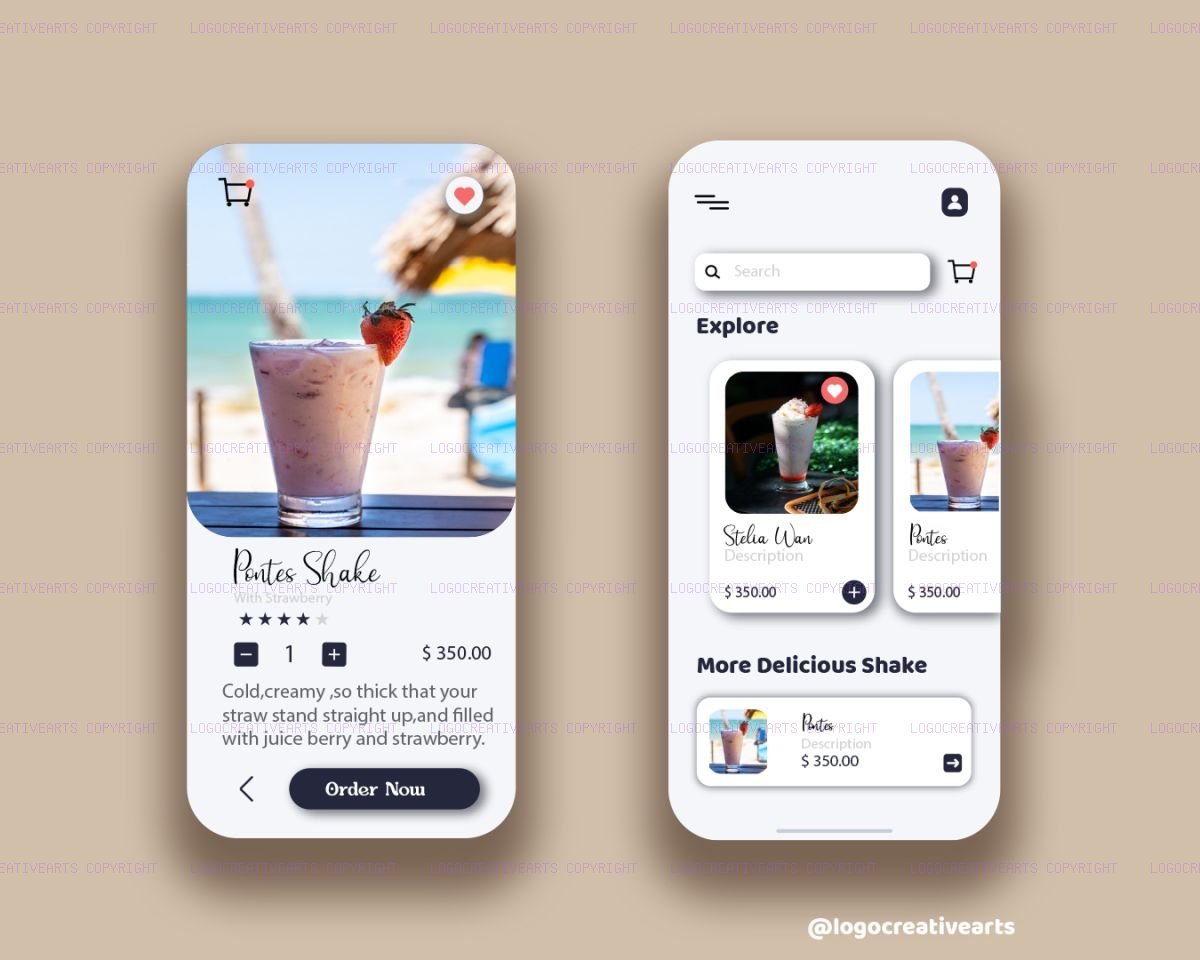
Modern juice shake delivery app prototype showcasing fluid liquid-smooth transitions, slide collapse navigation drawer, and neon color accen...
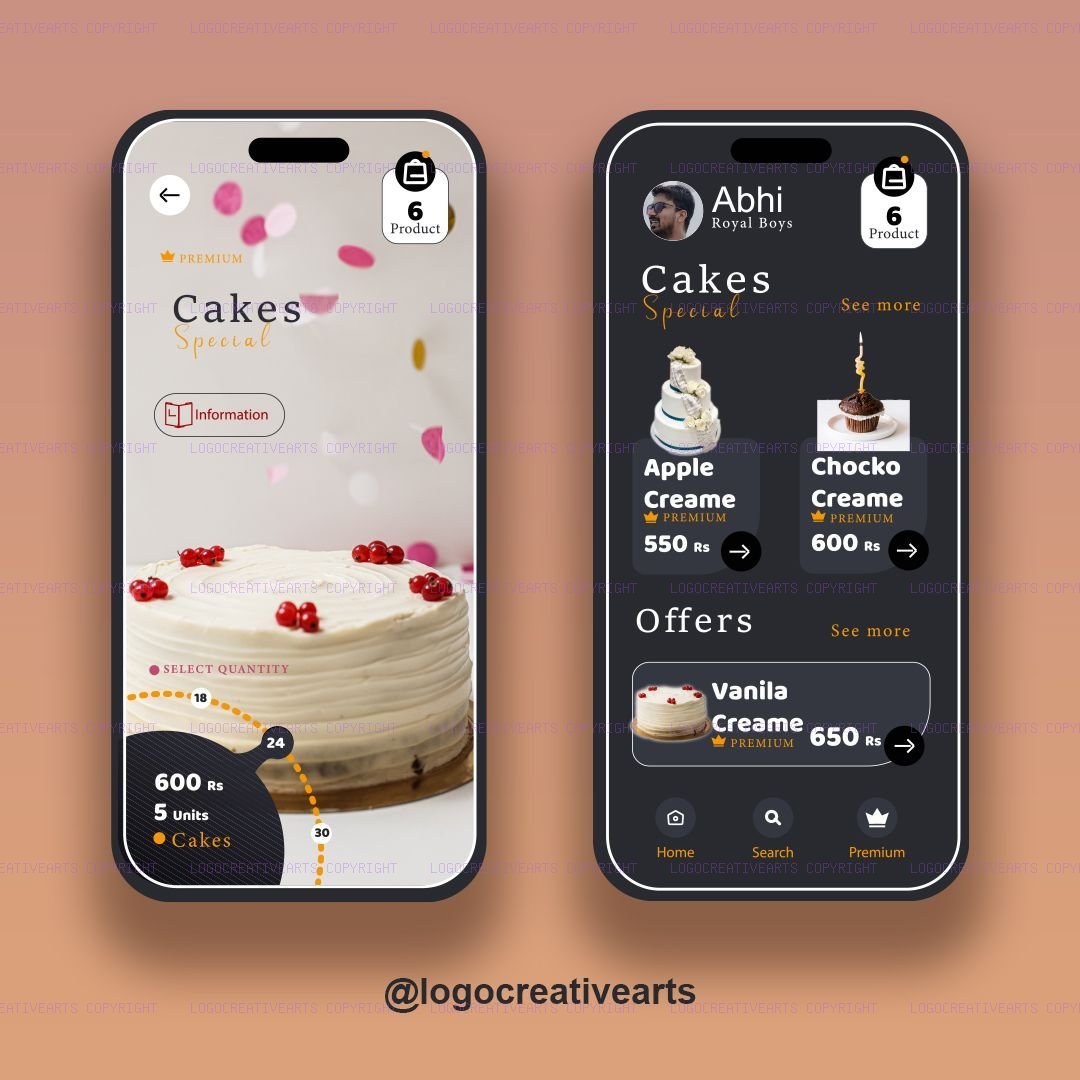
View Case Study →A seamless high-performance mobile application user interface layout for cake ordering, incorporating smooth glassmorphic panels and a user-...
View Case Study →We deliver complete, production-ready Figma design files, interactive clickable prototypes, design token systems (typography, spacing, color variables), and export-ready SVG icon and asset packs tailored for iOS and Android developers.
Yes. Our designs strictly adhere to Apple Human Interface Guidelines for iOS/iPadOS and Google Material Design 3 for Android, ensuring native ergonomics, accessible tap targets, and smooth usability.
Yes. We create responsive application layouts with adaptive component states that seamlessly adjust across compact smartphone screens, foldable displays, and tablets.
We organize Figma files with structured autolayout frames, naming conventions matching mobile component frameworks (React Native, Flutter, Swift, Kotlin), and exported SVG/PNG vector assets for frictionless implementation.
Discuss your mobile product concept with our UI/UX designers to define user flows, screens, and timelines.